
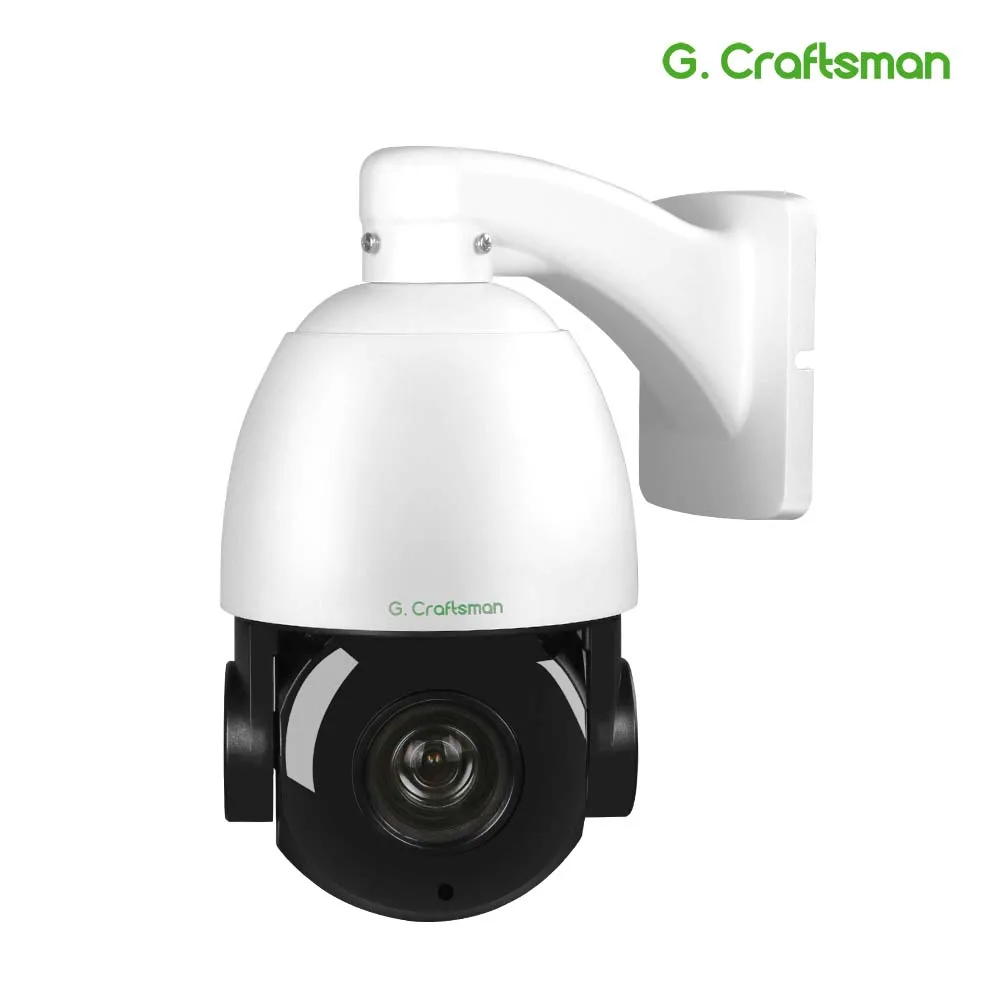
IDS-2CD7A46G0/P-IZHS(Y) HIK 4-мегапиксельная пулевидная камера DeepinView и Pr Moto Zoom IP-камера
79912


Сохраните в закладки:


*История изменения цены! Указанная стоимость возможно, уже изменилось. Проверить текущую цену - >
| Месяц | Минимальная цена | Макс. стоимость | Цена |
|---|---|---|---|
| Mar-20-2026 | 20954.48 руб. | 22002.2 руб. | 21478 руб. |
| Feb-20-2026 | 20777.92 руб. | 21816.63 руб. | 21296.5 руб. |
| Jan-20-2026 | 17432.51 руб. | 18304.98 руб. | 17868 руб. |
| Dec-20-2025 | 20425.71 руб. | 21446.58 руб. | 20935.5 руб. |
| Nov-20-2025 | 17784.23 руб. | 18673.15 руб. | 18228.5 руб. |
| Oct-20-2025 | 20073.36 руб. | 21077.92 руб. | 20575 руб. |
| Sep-20-2025 | 19897.19 руб. | 20892.21 руб. | 20394.5 руб. |
| Aug-20-2025 | 19721.14 руб. | 20707.16 руб. | 20214 руб. |
| Jul-20-2025 | 19545.86 руб. | 20522.36 руб. | 20033.5 руб. |
Новые товары
Характеристики
Описание товара


Product Description
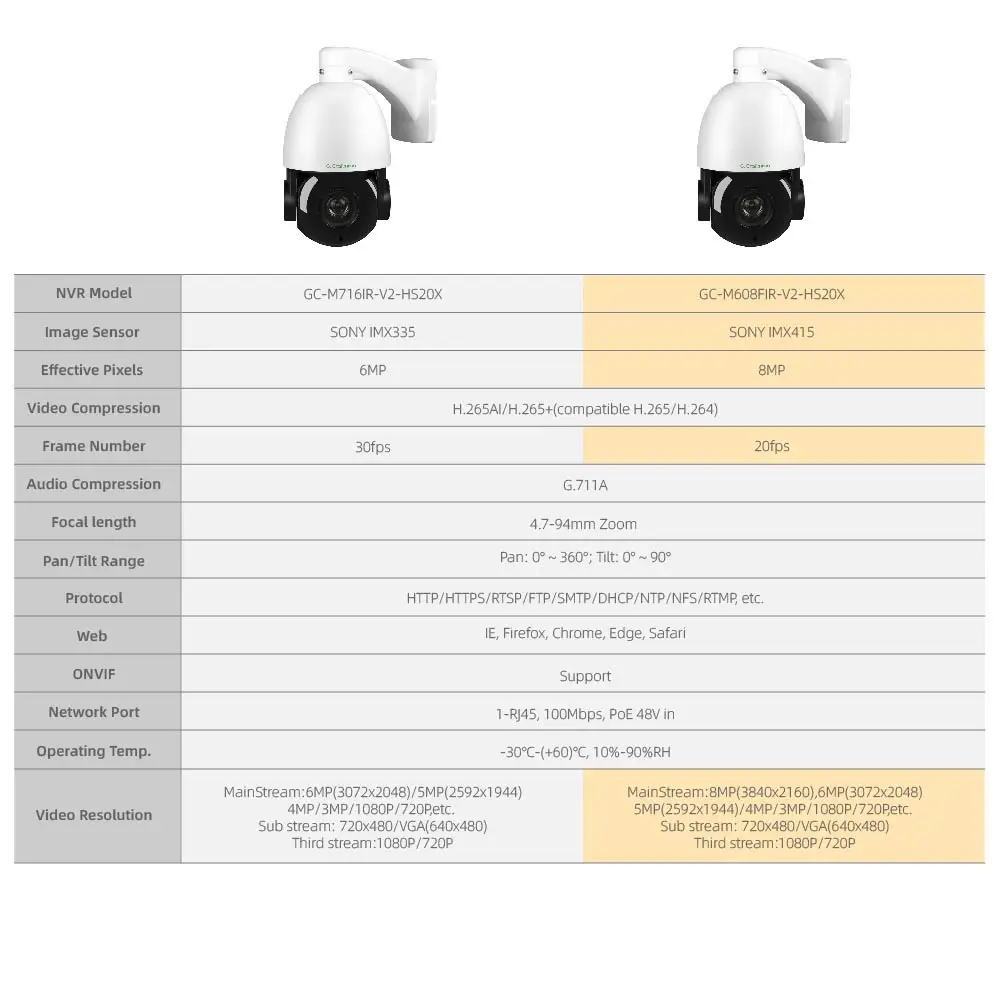
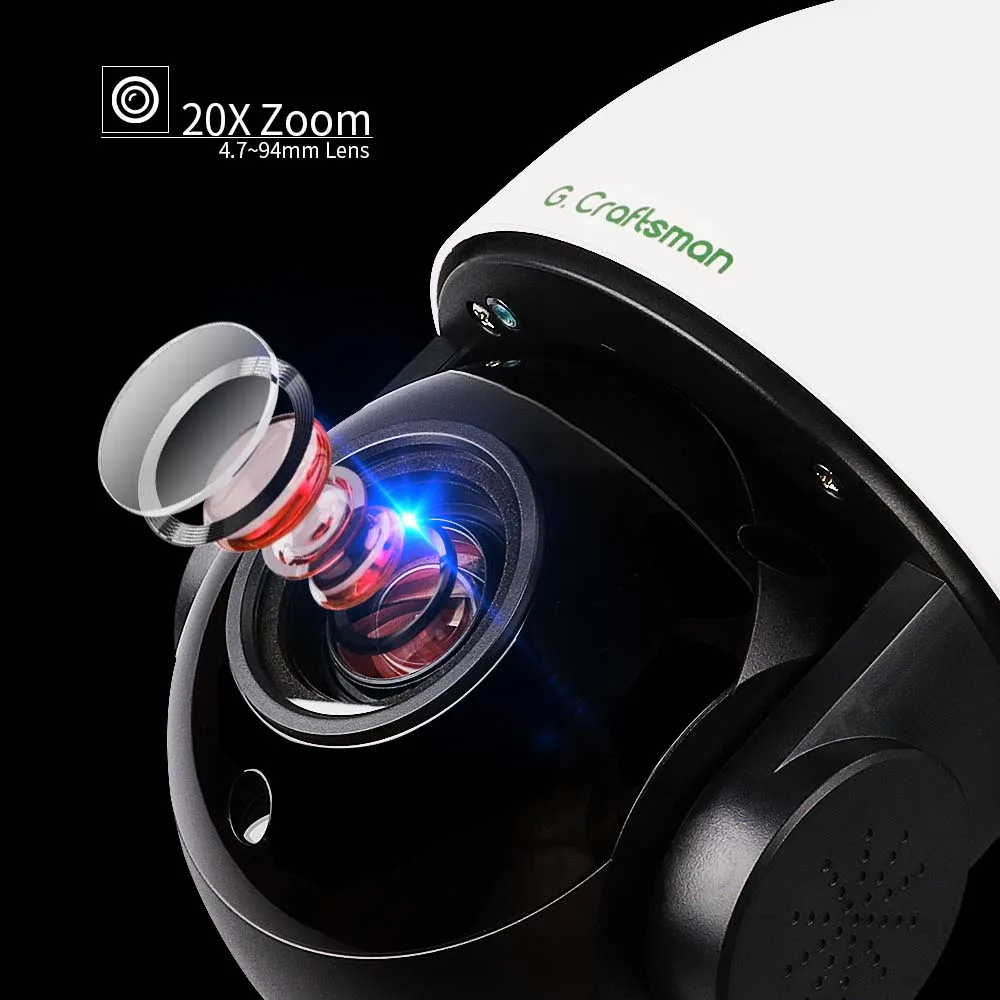
Newest Sony IMX415 Sensor
The newest SONY IMX415 Sensor brings you the ultimate 4K experience and captures more details, especially in low light
360° Endless Pan 90°Tilt,Every Corner Covered
With pan function, PTZ security camera can rotate 360° endless horizontally at high speed. The tilt rotation at 90° makes a reliable home and business monitoring and surveillance without vertical limitations, leaving no “dead area”. Besides, GC-M716IR-V2-HS20X/ GC-M608FIR-V2-HS20X supports preset Cruise point, time and speed as you want.
New H.265 Compression Technique
Lower Bandwidth/Less Storage Space/Better Image Quality
Remote Viewing, Anytime, Anywhere
No matter where you are, you can remotely access the security camera to see live streaming and stay connected.
Compatibility
·Besides the private protocol with G.Craftsman ,it also supports ONVIF
·Can be connected to network video recorder that comply with ONVIF, RTSP standards made by many other major manufacturers, such as HIKVISION, DAHUA, XM, etc.
Security Protection Design
·We can provide you professional security protection design and help you make every perfect detail.
·In case you have any question about the choosing of camera/NVR or the wiring, please feel free to contact us
Firmware Update
·Our R&D department is constantly working on the better firmware to help you solve all the potential bugs and problems when you are using the products. They are also engaged in the new promising functions.
·We can provide you the latest update firmware lifetime.
·If you have any good idea, please feel free to let us know and once it was adopted, we will provide you a testing sample free of charge.
Frequently Asked Questions
1.Why can't I open the default IP address 192.168.0.123 via web browser?
The camera is working in DHCP mode by default, it will obtain the IP settings from router automatically . Please install the IP search tool to find the camera'sIP address. Camera IP address will be 192.168.0.123 if no router in the LAN.
2.How to reset the password?
The default Username: admin, Password: 123456. If you lost the password or would to reset the camera's setting, please install the search tool to search the camera IP and click Reset factory button.
3.How to upgrade the IP camera?
1)Ask the supplier for the suitable firmware, 2) you can use the web browser, search tool, or PC client to upgrade the camera, 3) go to the Configuration > System > update, click browse and select the firmware, then click Upgrade button and wait for the operation to complete.
4.How to fetch the RTSP video stream and http snapshot?
1)VLC test Main Stream: rtsp://admin:123456@IP:554/stream0
2)VLC test Sub Stream: rtsp://admin:123456@ IP:554/stream1
3)Low resolution snapshot: http://IP/cgi-bin/snapshot.cgi?stream=1
4)HD snapshot : http://IP/cgi-bin/snapshot.cgi?stream=0 (some models support)
5.Why does the NVR not show image after adding IP camera?
1)Make sure you selected the right protocol and enter the correct username and password when adding the cameras
2)Make sure the NVR and IP camera are the same IP subnet.(eg.NVR:192.168.1 .x, and IP camera:192.168.1.y)
3)Try changing the camera encode mode to H.264 if the NVR can't support H.265. (Configuration -> Camera -> Video > Encode mode: H.264)
6.How to make the NVR record in motion detection mode?
1)add the IP camera via ONVIF protocol
2)change the NVR record mode to Motion Detection mode
3)check the NVR screen MD icon and try playback Please refer to your NVR manual for NVR motion record option.
7.Which kinds of third-party security software can be compatible with?Milestone, Avigilon, Pel co VxToolbox, Blue Iris, iSpy, Synology, Digifort
36-00-R0098

Не все водители выключают дальний свет, поравнявшись со встречной машиной. Специальные очки, фильтрующие яркий свет — настоящее спасение в таких... Читать отзыв полностью...

По мощности ничем не хуже бензинового кустореза, но вряд ли подойдет для участков с длинными заборами — придется часто заряжать.... Читать отзыв полностью...

Здравствуйте,у меня волосы тонкие,и после родов сильно выпадают. Давно хотела такие кудрявые волосы,но не решалась на химическую завивку. Интересно, после... Читать отзыв полностью...

Давно искал такую модель, где штекер для прикуривателя не зафиксирован в одном положении, потому что у меня гнездо находится внутри... Читать отзыв полностью...

Здравствуйте , сестрёнка заказала именно такое платьеи ей очень понравилось . Подчеркивает фигуру во время пляжного сезона самое то для... Читать отзыв полностью...

Категорически не советую связываться с этим магазином особенно через Алиэкспресс. Магазин прислал 2 ПРОСРОЧЕННЫХ аж на 1,5 года каhтриджа!... Читать отзыв полностью...


Принимая во внимание космический рост цен на современные видеокарты по понятным причинам эта модель за свои деньги отлично тянет популярные... Читать отзыв полностью...